INVESTMENT & CRYPTO SCAMS – UK GUIDE
Phishing vs Smishing vs Spear-Phishing
Scam messages come in many forms — emails, texts, or even personalised messages.
Learn the key differences between phishing, smishing, and spear-phishing —
and how to spot them in under 10 seconds.
✅ Based on real UK data ✅ Aligned with NCSC & Action Fraud. ✅ Works for emails, texts & DMs
Why this guide exists
Here’s how these scams work — and how to protect yourself.
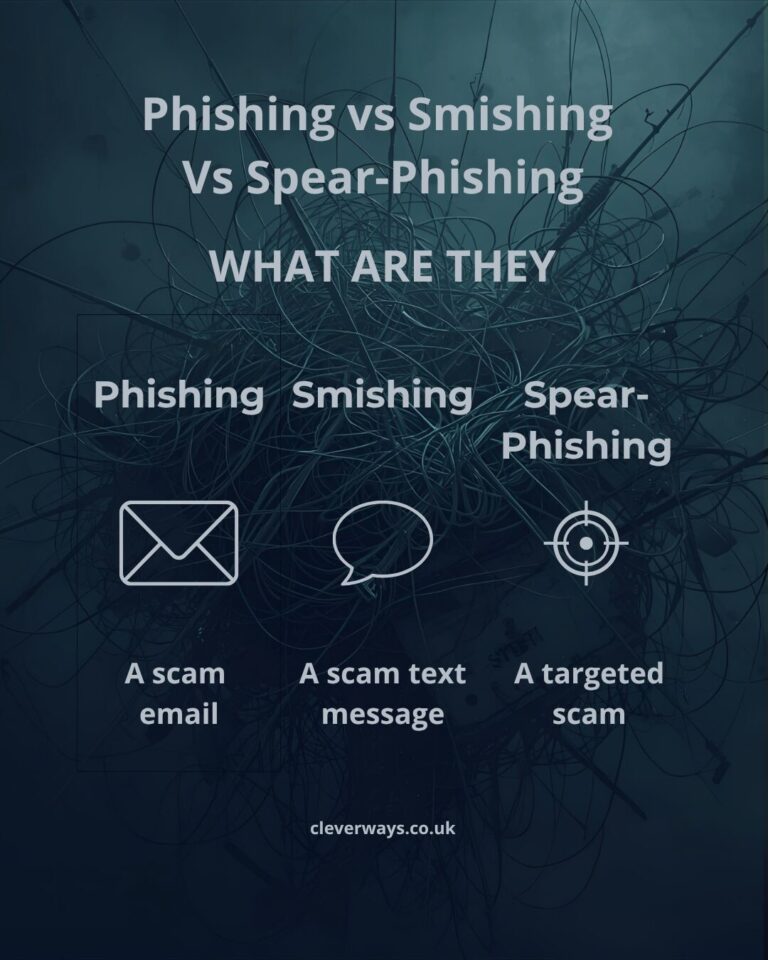
What is Phishing?
- 📧 Often looks like a message from your bank, HMRC, or delivery firm.
- 🪤 Includes fake links or attachments that install malware or steal logins.
- 💳 May request “account verification” or “urgent payment.”
Example: “Your PayPal account has been suspended — click to restore access.”
What is Smishing?
Example: “Royal Mail: A £1.99 redelivery fee is required to receive your parcel.”
What is Spear-Phishing?
- 👤 May include your real name or job title.
- 🏢 Often appears to come from your boss or colleague.
- 🔗 Contains links to fake internal documents or payment requests.
These are especially dangerous for businesses — one click can expose an entire network.
⚠️ How these scams typically work
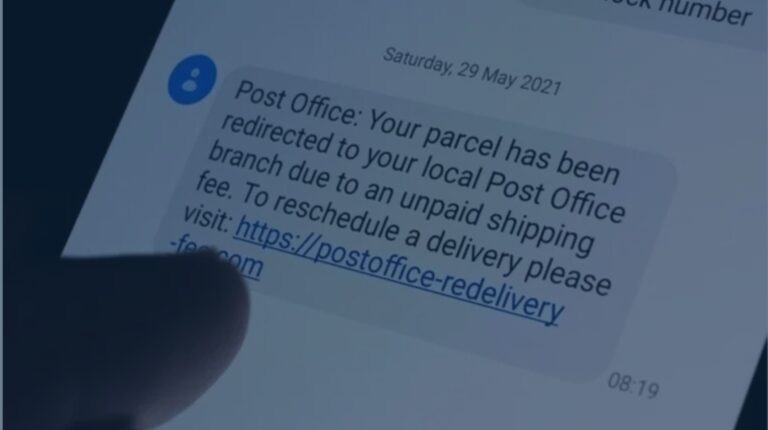
Example:
- The Pitch → “There’s a problem” (account, delivery, tax) or tempting offer.
- The Hook → A link, attachment or urgent request pushes you to act now.
- The Trap → You click, share details or make a “small” payment… it escalates.
Key differences at a glance
| Type | How it’s sent | Common targets |
|---|---|---|
| Phishing | Anyone with an inbox | |
| Smishing | SMS / Text | General public |
| Spear-phishing | Email/DM (targeted) | Employees & professionals |
🚩 Red flags to spot any phishing attempt
- ⚡️ Unexpected urgency → “Act now or your account will be closed.”
- 🌐 Odd sender address → Display name looks real but domain is off.
- ⛓️💥 Short or mismatched links → Hover and check the real domain first.
- 💸 Requests for money or gift cards → Not how legit orgs operate.
- ℹ️ Personalised details → Real job title/company = likely spear-phishing.
Free PDF: Spot Scams in 10 Seconds
10 quick checks for emails, texts and DMs — concise, printable, shareable.
- ✅ Check the sender address
- ✅ Hover before you click
- ✅ Never pay before you verify
Even smart people get caught — what matters is what you do next.
💡 Trusted Tools & Resources
Fraudsters rely on speed and secrecy — these tools add extra layers of protection so you can spot scams before they cost you.- 🔐 NordPass — Secure password manager that protects your logins against phishing. 👉 Get NordPass →
- 🌐 NordVPN — Keep your online activity private when banking, shopping, or investing. 👉 Get NordVPN →
- 🛡️ CIFAS Protective Registration — Extra protection if you’ve been a victim of fraud; alerts lenders to double-check applications. 👉 Learn more at CIFAS →
- 📘 Scam Me If You Can (Frank Abagnale) — Practical guide to spotting scams. 👉 Get the book →
🛡️ How to Protect Yourself
- ✅ Hover over links and check the real domain.
- ✅ Go to the site directly — don’t use the link provided.
- ✅ Turn on multi-factor authentication for key accounts.
- ✅ Keep software and antivirus up to date.
- ✅ Forward suspicious emails to report@phishing.gov.uk and texts to 7726 (free).
If you pause before paying, you win.
- Stop payments immediately — call your bank.
- Change passwords and enable MFA.
- Forward emails to report@phishing.gov.uk, texts to 7726.
- Report to Action Fraud.
FAQ — Phishing & Smishing
How do I tell if an email is phishing?
What should I do if I clicked a link?
Are SMS links dangerous?
📘 Get our Free Guide: Spot Scams in 10 Seconds
Your simple checklist to stop scams before they start.
No jargon, no fluff — just 10 proven red flags you can use today.
⚠️ It only takes one click to stop a scam.